Skip to content
VDS Panel
VDS Panel
Server Management
VDS Panel · Server Management

Server management, now at your fingertips

Deploy Java/Spring Boot, Node.js, Docker and Kubernetes projects from a single panel on your own server. Self-hosted, open control, modular licensing.

  • Instant deploy with git push
  • Automatic SSL certificates
  • 140+ built-in pentest checks
4.9 / 5 · 47 early access users
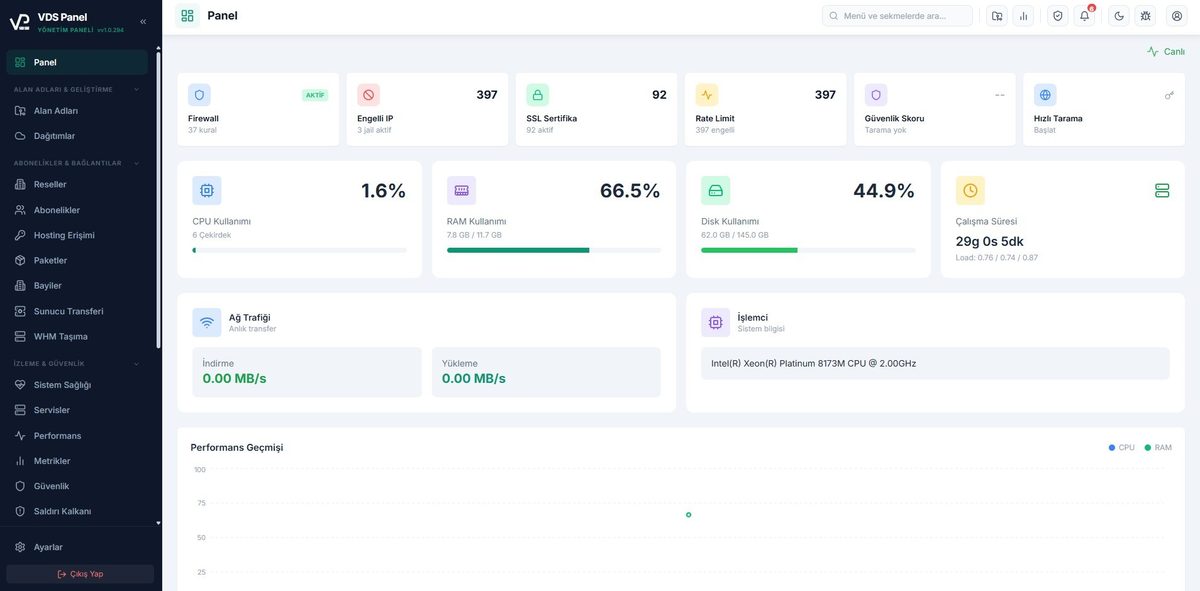
CPU
42 %
RAM
3.2 / 8 GB
Disk
58 %
Aktif Projeler
3 çalışıyor
api-gateway Spring Boot
:8080
auth-service Node.js
:3001
worker-queue Docker
k8s/3
Deploy #184 başarılı SSL aktif vdspanel v2.3.1
Single-Command Install

From clean server to panel in one line

Got an Ubuntu 22.04 or 24.04 VPS? Paste a single line and sit back. The panel installs, configures and starts Docker, K3s, PostgreSQL, Nginx, Certbot, Fail2ban and everything else you need.

1
command
~8
minutes
0
manual step
  • Detects and installs missing system packages automatically (git, curl, certbot, buildah)
  • PostgreSQL cluster is created and configured in the background
  • Nginx performance tuning (worker_connections, gzip, keepalive) applied automatically
  • Let's Encrypt certificate fetched automatically for your panel address
  • PM2 startup, K3s kubeconfig and crontab handled without your input
  • Offline installer (~1.1 GB single binary) available for air-gapped servers
root@vps-01:~
Ubuntu 24.04 LTS
$ curl -fsSL vdspanel.com/install.sh | sudo bash
Installing dependencies (apt)1.2s
Downloading Docker + Buildah42s
Installing K3s (Kubernetes)18s
Preparing PostgreSQL 16 cluster12s
Nginx + performance tuning3s
Let's Encrypt certificate issued9s
Fail2ban + UFW hardening2s
Admin user + schema migration4s
Configuring PM2 + crontab...
Overall progress 82%
Panel is ready, you can sign in
What do we do?

You don't need to be a Kubernetes expert to manage a server

VDS Panel running on your VPS grabs your code on git push, builds it, provisions the required database, fetches the SSL certificate and takes your project live. You write code; the panel handles servers, containers, nginx, DNS and certificates.

You
developer
git push
or jar upload
VDS Panel
detects and builds
Your VPS
licensed, isolated, only yours
Live
K3s
Kubernetes
Docker
Container
PM2
Node.js
Postgres
DB
Nginx
SSL
Automatic SSL
Live logs
Auto-restart
Daily backup

Hours of setup shrink to minutes

No need to wrangle systemd, nginx, DNS and SSL to deploy Java, Node or Python apps. Add the project to the panel and it handles the rest.

Every need in one panel

PostgreSQL, MySQL, Redis, RabbitMQ, Nexus, SonarQube and more install with one click. No scattered configs, no lost passwords, no port clashes.

Your server stays yours

Your code, database and domain settings stay with you. No cloud lock-in. Remove the panel any time and carry on with your projects.

Full Automation

What the panel does behind the scenes

Everything you don't have to do. From certificates to container health, database permissions to backup policy, the infrastructure manages itself.

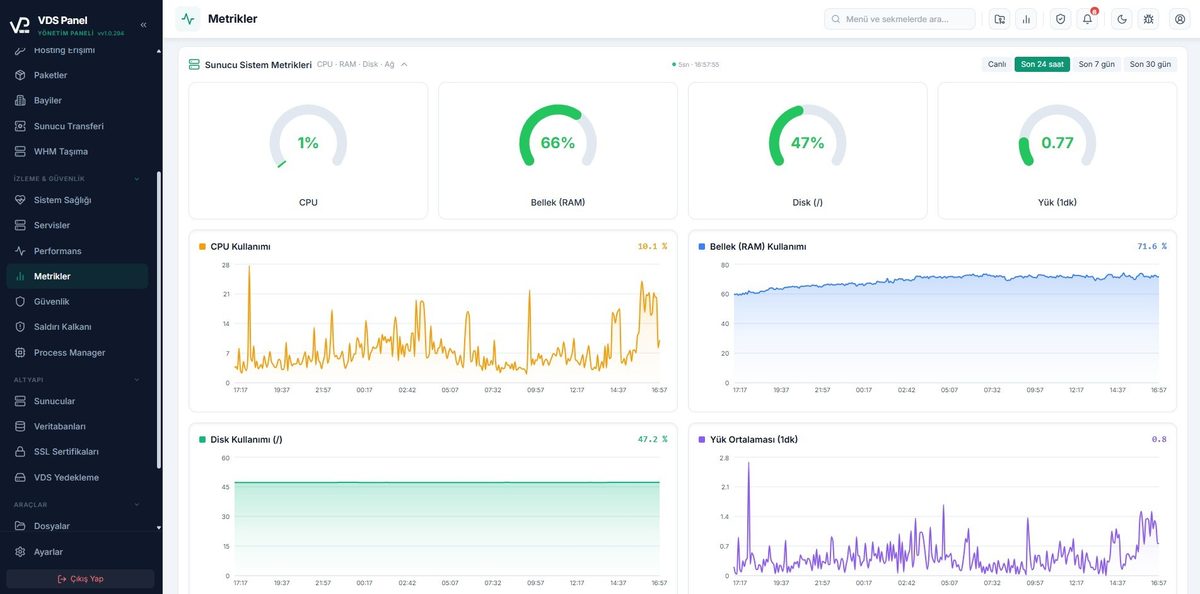
SSL certificates auto-renew 30 days before expiry

Every night at 03:00 the panel scans all Let's Encrypt certificates, renews those that need it via certbot, then reloads nginx. Nothing is required from you.

Every day 03:00

Crashed containers come back in 30 seconds

Crashes on Kubernetes, Docker or PM2 are detected within 10 seconds. The image is pulled again, the manifest applied and the pod restarted.

Health check 10s

New project = new DB, user, password, permissions

Pick PostgreSQL, MySQL or MongoDB. The panel generates a 32-character password, creates the user, grants privileges and injects the connection string into the env.

About 4 seconds

A git push fires the deploy pipeline

The panel sets up the GitHub webhook, verifies the incoming signature and pulls the code. Build, SSL checks, DB migrations and nginx configuration all run in parallel.

Signed webhook

Broken services get an automatic manifest reapply

If system services (Nexus, SonarQube, PgBouncer) enter CrashLoopBackOff or NotReady, the panel reapplies the manifest after 45 seconds.

Within 45 seconds

Encrypted backup scheduler

Databases are checked every 15 minutes and old backups pruned according to retention. S3 and R2 uploads supported; on upload failure the file is kept locally.

Every 15 minutes

PM2 CPU overrun triggers cpulimit

If a process exceeds its CPU limit on three consecutive ticks, the panel starts cpulimit automatically. Neighbouring projects stay untouched, fair share guaranteed.

Real-time

Projects self-recover after a panel restart

When the panel restarts, projects marked "running" in the database are brought back within 30 seconds through manifest reapply and nginx reconfiguration.

Resurrect in 30s

Three-stage recovery on nginx config errors

If a bad config is detected on boot, the panel first tries to fix it, then quarantines it, and in the worst case serves a minimal fallback. The panel never fails to start.

Self-heal
Our simplicity promise
What you have to do is only what you want to do.
Despite the complex infrastructure underneath, using the panel is as simple as using a cloud service.
Try it on your server
Features

What do we offer? 7 modules, endless convenience

Modules enabled by your license appear in the panel. Each module works like a standalone product, all managed from the same interface.

Java / Spring Boot

Upload a JAR or build from a Git repository. The panel creates a systemd service, manages JVM parameters and runs health checks. Built-in Nexus repository support.

JAR UploadSpring Boot BuildsystemdHealth CheckNexus

Kubernetes (K3s)

Projects run on lightweight K3s in isolated namespaces. Image build, auto-restart, replica control and node port routing, all from the panel.

Namespace IsolationAuto-RestartScalingNode Port

Automatic Database

When creating a project, the database you need is provisioned automatically: PostgreSQL, MySQL, MariaDB, MongoDB, Redis. Connection credentials are injected for you.

PostgreSQLMySQLMongoDBRedisPgBouncerCNPG

Custom Domain

Connect your own domain (e.g. example.com) alongside the default subdomain. Let's Encrypt certificates fetched and renewed automatically.

Let's EncryptAuto-RenewalA / CNAMEHSTS

PM2 (Node.js)

Node.js projects run through the PM2 process manager. Cluster mode, auto-restart, memory and CPU limits, log rotation, all set from a form.

Cluster ModeAuto-RestartMemory LimitLog Rotation

Docker

Projects with a Dockerfile are turned into images and run as containers via DinD (Docker-in-Docker). Registry push, multi-stage builds and layer cache all supported.

DinD BuildBuildahImage CacheCompose

Built-in System Services

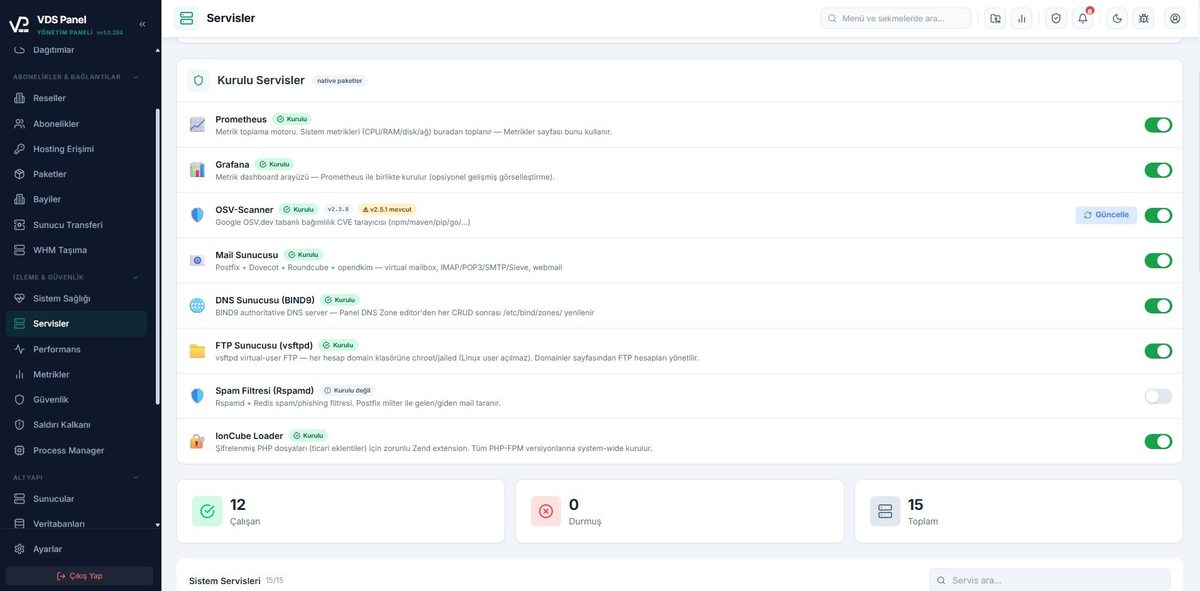
pgAdmin, Nexus, SonarQube, MySQL, MongoDB, Redis, RabbitMQ, MinIO, phpMyAdmin, Mongo Express, Redis Commander. Click, install, use.

pgAdminNexusSonarQubeMinIORabbitMQ+5 more

Everything in one panel

Every module recognises the others. autoDatabase wires PostgreSQL into your Spring Boot project, customDomain pulls the certificate, Kubernetes handles replicas. Goodbye scattered tools.

Request a demo
How it works

Live in 3 steps

Connect the server, introduce your project, the panel handles the rest. Beyond click-to-install, click-to-deploy.

01
Single command

Connect your server

Run the install script with a single command on a clean Ubuntu VPS. The panel installs Docker, K3s, Nginx, Postgres and the other components itself. An offline installer is available when you have no internet.

$ curl -fsSL vdspanel.com/install.sh | sudo bash
02
Git push = deploy

Add your project

Git repository, JAR file or Dockerfile; whichever format, the panel recognises it. GitHub OAuth surfaces your repositories in seconds. Env variables and database connections set up with one click.

$ github.com/your-company/api-gateway
03
About 2 minutes

The panel takes it live

Image build, domain binding, SSL issuance, systemd/PM2/K3s placement, log streaming; everything automatic. Next push redeploys. You write code.

$ https://api.yourcompany.com live
Built-in services

Enterprise infrastructure with one click

No install scripts, no config files, no port clashes. Pick a service in the panel, set the resource limit, ready to use within a minute.

PostgreSQL
Database
MySQL
Database
MariaDB
Database
MongoDB
Database
Redis
Cache
RabbitMQ
Queue
MinIO
Storage
Nexus
Artifact
SonarQube
Code Quality
pgAdmin
DB UI
phpMyAdmin
DB UI
Mongo Express
DB UI
Redis Commander
DB UI
Developer
The moment you push code, artifacts land in Nexus, SonarQube produces a quality report and you inspect the schema in pgAdmin.
DevOps
RabbitMQ, Redis, MinIO; all ready without renting separate servers or wrestling with licenses and ports.
Hosting provider
Offer your customers per-project databases and isolated services. A modern, lightweight alternative to cPanel.
Security

When you deploy, your security is installed too

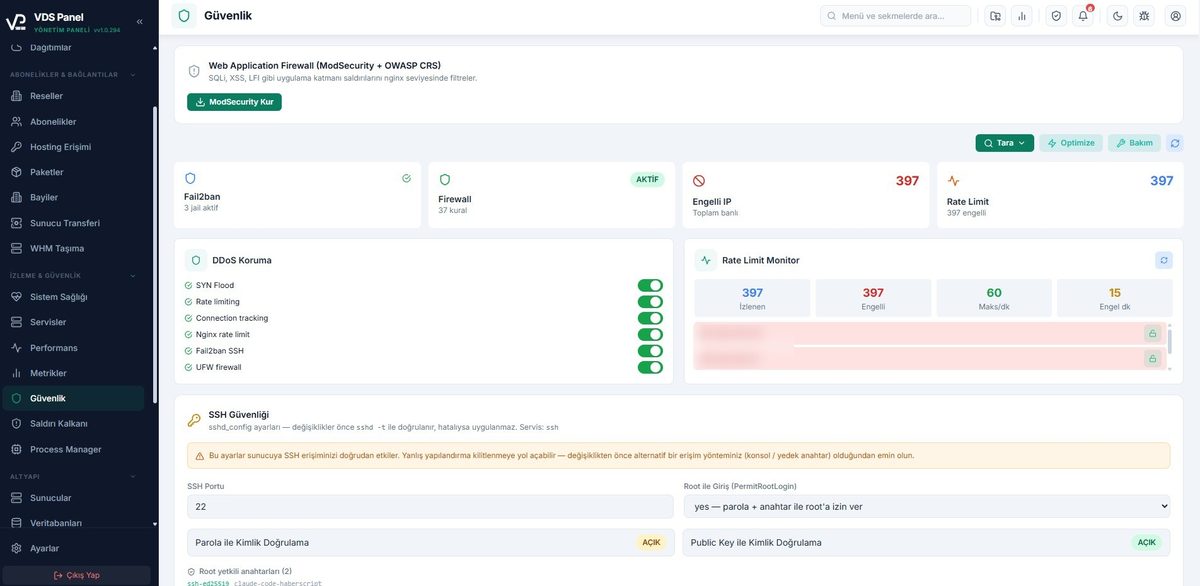
VDS Panel doesn't just deploy, it hardens the server on every install. The built-in pentest scanner runs over 140 tests to hunt vulnerabilities, Fail2Ban bans suspicious traffic, and the security audit log never loses a trail.

Built-in Pentest Scanner

140+ tests across 22 categories. HTML report output. SSL, headers, auth and OS layers are all checked.

Fail2Ban and UFW

Brute-force attempts are banned automatically. Open port management happens from the panel UI.

JWT and Rate Limit

Token blacklist, force-logout, IP and user-level throttling.

Security Audit Log

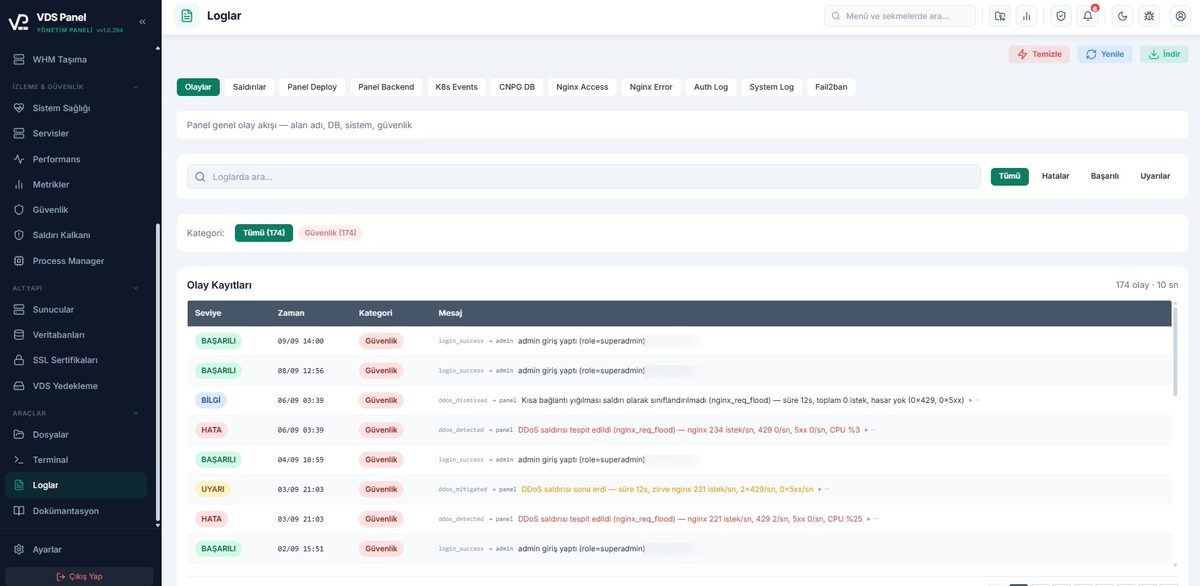
Logins, logouts and admin actions are logged persistently, including IP and user-agent.

TLS 1.3 HSTS CSP Let's Encrypt
vdspanel / pentest-scan
Running
$ vdspanel security scan --full
→ 140 tests, 22 categories loaded
[ SSL / TLS ]
TLS 1.3 enforced
HSTS preload active
No weak ciphers
[ Headers ]
X-Frame-Options: DENY
CSP default-src 'self'
Referrer-Policy: strict
[ Auth ]
JWT alg=none attack protected ✓
Rate limit (login 10/15m) active ✓
SQL injection vector safe ✓
[ OS ]
UFW firewall active
Fail2ban 3 jails running
Automatic security updates
SCORE: 14 / 14 · Security verified.
$
Who is it for?

Manage your server like a human

VDS Panel is for anyone who wants to focus beyond their code.

Spring Boot developers

JAR build, Nexus artifacts, SonarQube quality analysis, all built in. Launch your Java project in a few clicks.

Java · Maven · Gradle

DevOps and SysAdmins

Manage Kubernetes from the panel: namespace, resource limit, logs, restart. systemd stays out of your way, K3s works for you.

K3s · Docker · Nginx

Startup CTOs and one-person teams

One server, one panel, ten projects. Small and mid-size projects without diving into AWS or GCP complexity.

Fast MVP · Low cost

Hosting providers

A modern alternative to cPanel. Offer customers per-project isolation, automatic databases, custom domains and license control.

Multi-tenant · White-label

Agencies and freelancers

Manage multiple client projects from one place. Push the code and your client's staging goes live.

Multi-client · Staging

Microservice teams

Each service in its own namespace, database and logs. Focus on business logic, no need to learn Kubernetes.

Microservices · Isolated
Why VDS Panel?

A modern VPS can't be managed with cPanel logic

If you want to manage a Spring Boot app, a Node.js microservice, a Docker image, and a Kubernetes pod from a single panel — classic web hosting panels won't cut it. VDS Panel is a scalable alternative built around developer workflow, running entirely on your own server.

Capability VDS Panel cPanel / Plesk CyberPanel / HestiaCP
Self-hosted, your data stays with you Full — zero telemetry Regular ping to license server Yes
Java/Spring Boot deploy Built-in (JAR upload + systemd) None / manual None
Kubernetes (K3s) management One-click deploy + scale None None
Git push auto-deploy GitHub + GitLab webhook 3rd-party plugin Limited
Auto database + user Postgres / MySQL / Mongo / Redis MySQL-heavy Limited MySQL / PG
Built-in pentest scanner 140+ tests, weekly report None None
PM2 / Docker / systemd controls Single interface Limited Docker plugin
License model Module-based, per server Annual + per-account Open-source / freemium
One-command install Yes — 5 minutes Semi-automated Yes

Why cPanel and Plesk don't fit modern developers

cPanel and Plesk were designed for the shared PHP hosting world of the 2000s. WordPress, classic LAMP stack, email accounts, FTP — all of those run beautifully on cPanel. But today a developer typically runs multiple microservices, containers, JVM apps, and several databases. How do you deploy your Spring Boot app on cPanel? Usually by SSH-ing in and writing a `systemd` unit yourself. How do you scale a Kubernetes pod? Outside the panel, from a terminal. License costs are also high relative to modern alternatives, and account-based pricing is overkill for a single-developer scenario.

VDS Panel starts from the opposite assumption: a developer is running Spring Boot, Node.js, Docker, Kubernetes, and PostgreSQL on their own VPS. Modules are designed around that need. When you create a project you pick "Java JAR", "PM2 Node.js", "Docker image", or "K3s deployment"; the panel then generates the systemd unit, nginx vhost, SSL certificate, and database user behind the scenes. You never touch SSH — though a web-based terminal is one click away when you need it.

How is it different from cloud PaaS?

Heroku, Render, Railway, and Fly.io perfected the "git push deploy" experience. The catch: cost grows non-linearly as you scale; every provider comes with vendor lock-in; some sleep your app at certain hours; your data lives on their infrastructure. In jurisdictions with strict data-locality requirements (KVKK, GDPR, HIPAA), the compliance overhead of public PaaS often exceeds the monthly bill.

VDS Panel brings the PaaS experience to your own VPS. DigitalOcean, Hetzner, OVH, AWS Lightsail, or any local provider — it doesn't matter. As long as you have Ubuntu 22.04+, the panel installs and the same git-push deploy flow works. Your cost is just the VPS monthly fee plus a one-time or modular license. Your data, logs, backups, and certificates stay entirely under your control.

Comparison with open-source alternatives

CyberPanel, HestiaCP, CapRover, and Coolify each excel at a particular niche. CapRover and Coolify do the "self-hosted Heroku" idea well, but lack first-class Java/Spring Boot support and have limited Kubernetes integration. HestiaCP and CyberPanel focus on traditional web hosting — WordPress, PHP sites, email. You'll need to bolt on extra tooling for a developer workflow.

VDS Panel treats Spring Boot + Kubernetes + Docker + Node.js as first-class citizens. It's commercial rather than open-source, modular by license; in return you get 24/7 multilingual support, guaranteed updates, and enterprise features like a built-in pentest scanner. Teams that start on an open-source panel and migrate later usually do so when they hit the moment of "I have no dedicated devops on my team but I'm running production workloads".

When is VDS Panel the right choice?

  • Solo dev / small team, multiple projects: A Spring Boot API, a Next.js frontend, PostgreSQL, Redis, MinIO — all on a single VPS, all managed from one panel. Each project is isolated; resource limits are configurable.
  • KVKK / GDPR / HIPAA compliance: When customer data must not leave your jurisdiction, a local VPS provider plus VDS Panel is the fastest path to compliance.
  • Escaping cloud bills: If your AWS / GCP / Azure invoice is creeping past $500/mo, the same workload usually runs on $80–150/mo of VPS. The panel handles auto-database and certificate management during migration.
  • Agencies and client hosting: One VPS plus one panel per client. Customer data is fully isolated; you can hand off the panel later if needs change.
  • Learning Kubernetes without "production-ready" setup overhead: A VDS Panel with the K3s module enabled gives you a one-click prod-grade Kubernetes cluster. You can also talk to the same cluster via kubectl.
Technical Architecture

Nginx, K3s, PostgreSQL, Fail2ban — each in its place

VDS Panel doesn't invent a runtime from scratch. It's built on infrastructure components the industry has already tested and trusts. The panel's job is to auto-configure these components, wire them together, and surface them through a usable UI. If you remove the panel tomorrow, the underlying standard Linux services still run — your applications keep running.

On the performance side, Nginx worker_connections, gzip, keepalive, and cache settings auto-tune to VPS capacity. The PostgreSQL cluster runs through PgBouncer connection pooling, so even with 100+ concurrent connections RAM usage stays stable. Let's Encrypt certificates are checked nightly at 03:00 and auto-renewed 30 days before expiry — no rate-limit headaches.

  • 01
    Reverse proxy: Nginx 1.25+
    HTTP/2, gzip, brotli, automatic vhost generation
  • 02
    Container: Docker + Buildah
    Image build, registry push, container management
  • 03
    Orchestration: K3s (CNCF Kubernetes)
    Single-node cluster, deployment + service + ingress
  • 04
    Databases: Postgres 16 / MySQL 8 / Mongo 7 / Redis 7
    PgBouncer, isolated user + password, auto backups
  • 05
    Security: Fail2ban + UFW + Let's Encrypt
    SSH brute-force protection, port whitelist, auto SSL

VDS Panel combines the convenience of cPanel, the deploy experience of Heroku, and the power of Kubernetes — in one panel. It balances the technical freedom of open-source panels with the support of commercial ones. From Spring Boot to Kubernetes, from automated SSL to pentest scanning, it covers every developer-centric scenario — and runs all of it on your own server. If you don't love cloud lock-in but also don't want the "I'll set it up and run it myself" burden, VDS Panel hits exactly the middle ground.

Get in touch for a demo or license
Frequently Asked Questions

Wondering something? Answers below

Common questions are below. If yours isn't here, reach out through the contact form and we'll get back to you the same day.

Support channels
Active
Email support
Average response within 24 hours
Contact form
For demo, license and technical questions
~24h
Response
7
Languages
Mon-Fri
Hours
What server specs do I need?
We recommend at least 2 CPU, 4 GB RAM and 40 GB SSD. A fresh Ubuntu 22.04 or 24.04 install is enough. Smaller projects can run on 2 GB RAM. If you won't use the Kubernetes module, 1 vCPU may suffice.
Do I need to know Kubernetes?
No. K3s runs in the background, you only add your project. You can tune settings like replica count in detail, but you never write a line of YAML.
Where is my data? Does it go to you?
No. Everything stays on your VPS: code, database, logs, SSL certificates. We don't access any data beyond license validation. When you remove the panel, your projects keep running.
How does licensing work?
Per module. You buy one license per server; whichever modules the license enables (JAR, Kubernetes, autoDatabase, customDomain, PM2, Docker, systemServices) show up in the panel. Reach out via the contact form for details.
How long does a deploy take?
Around 90 seconds for a small Spring Boot app (including build). With a warm cache, push-to-live drops below 30 seconds. Docker image build time depends on your Dockerfile complexity.
Which programming languages are supported?
Java and Spring Boot (JAR), Node.js (PM2), and anything with a Dockerfile (Python, Go, Rust, PHP, Ruby, .NET and more). With the Docker module, there's no language limit.
Do you support multi-server or clusters?
Yes, through the K3s module. Each server works with its own panel. Multi-node is planned for larger teams; get in touch for the current state.
Is backup automatic?
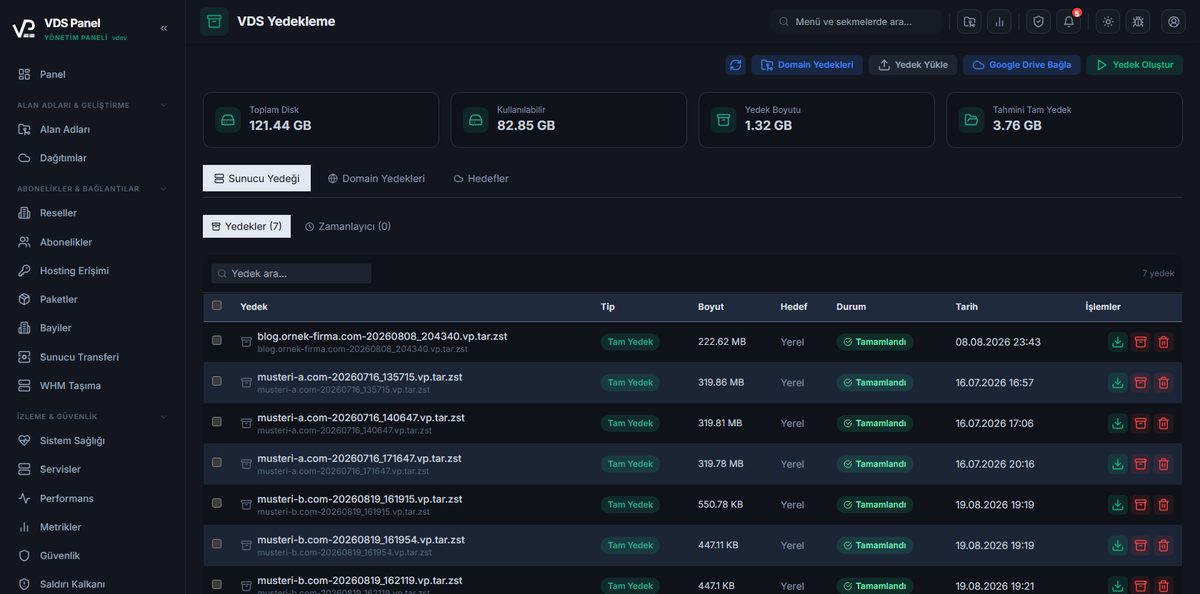
Yes. Databases are backed up daily with encryption (age or gpg). Combined with your VPS provider's snapshots, loss risk is near zero.
Is there a trial or demo?
Reach out through the contact form. We can set up a short demo and decide on the license modules together based on your needs.
Contact

Let's talk. We'll design the right solution for you.

Tell us about the modules you'll use, your projects and your server setup, and we'll draft the most suitable license and install guide together.

Response time
Within 24 hours on business days
Privacy
Your message only reaches our support team. Never shared with third parties.

Your message is delivered directly to destek@vdspanel.com.

Here when you're ready

Modern deploy experience on your own server, one contact message away.

Tell us about your usage scenario and we'll prepare the right license and install plan. Average response time is under 24 hours.